A complete asset register
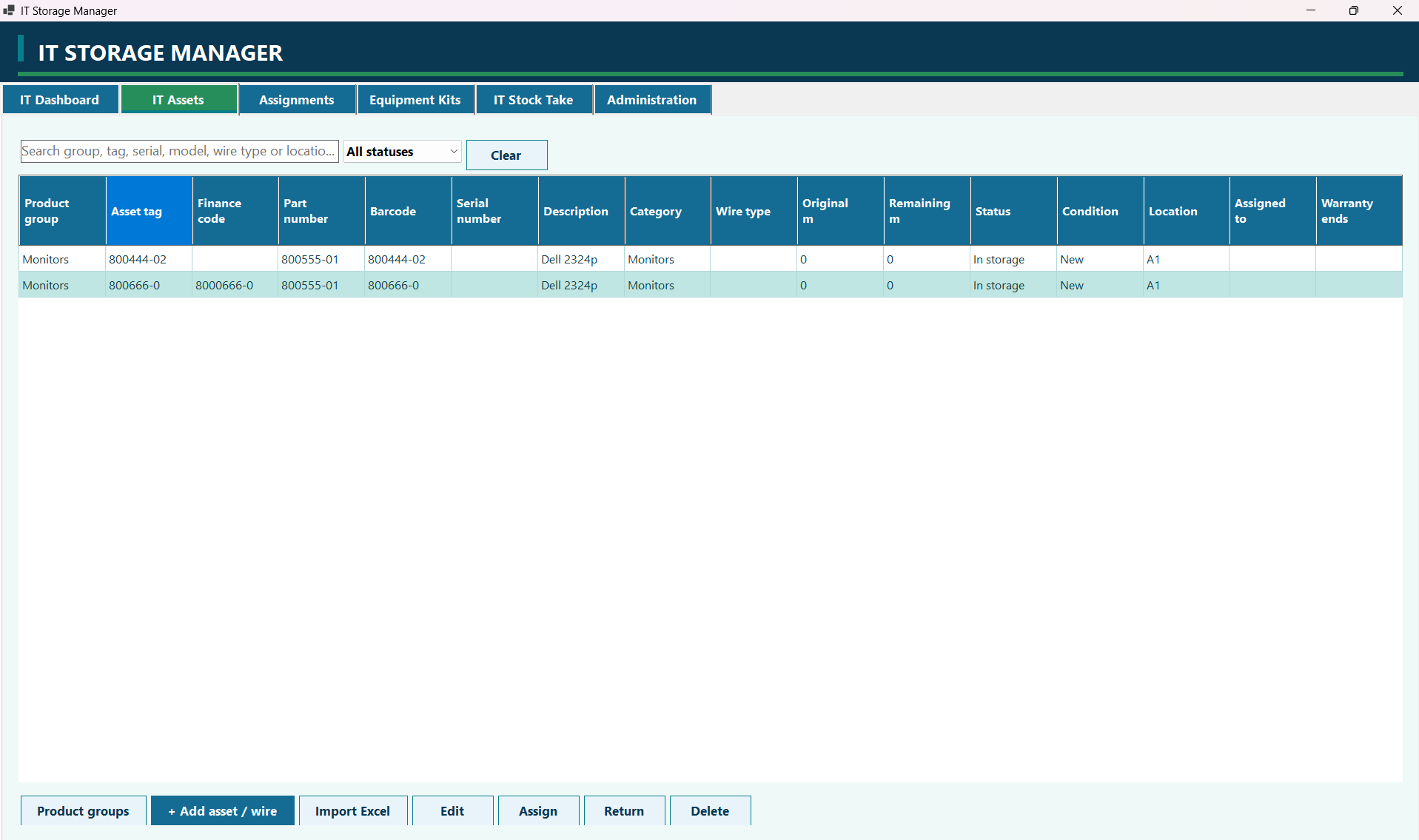
Record product groups, asset tags, finance codes, part numbers, barcodes, serial numbers, descriptions, categories, condition, location, assignment, and warranty dates. Search and filter the list by status.
Organize IT equipment, manage assignments, and run stocktakes from a desktop workspace. Keep detailed asset records and wire stock together, with the tools to maintain them day to day.
Explore the workflows and tools available in this edition, from everyday equipment tracking to reports and portable backups.
Record product groups, asset tags, finance codes, part numbers, barcodes, serial numbers, descriptions, categories, condition, location, assignment, and warranty dates. Search and filter the list by status.
Set up shared manufacturer, model, category, part number, and wire type information once. Use group templates for new assets and track minimum stock and available equipment.
Keep each wire roll as its own asset. Record its original length and the metres taken, then check the remaining length and total availability by wire type.
Assign equipment to employees and record its return. Scan a barcode to open the relevant asset, assign equipment, or record wire taken. Damaged returns can be marked under repair.
Bring a laptop, monitor, dock, charger, and other accessories together in a kit. Assign the whole kit to keep related equipment organized.
Count a room or all active assets. Scan each asset once and review found, missing, wrong-location, and unknown-code results. Export finished stocktakes to Excel or print them.
Import inventory from .xlsx files. Review Create, Update, and Skip actions before confirming changes, so incoming records can be checked first.
See stock levels, missing equipment, repair items, overdue returns, and warranty alerts. Open the relevant asset or product group directly from dashboard totals and alerts.
Attach a reference photo to an asset. Filter equipment records, export CSV reports, and use print preview to prepare an inventory overview.
Use administrator, operator, and read-only viewer roles. Keep an audit trail of inventory activity and manage user access from Administration.
Inventory is saved locally, with a rolling previous-data backup. Export a portable ZIP containing records and referenced asset photos for safekeeping or transfer.
Use Import or Transfer to bring a portable backup from Android or another Windows installation. Merge matching inventory while keeping local user accounts, or restore a full backup to replace the current data.
A typical working day with Storage Manager, in four straightforward steps.
Create the initial administrator account, sign in, and define your product groups, employees, and locations.
Add assets and wire rolls, import an Excel file with preview, or import an existing portable backup.
Assign and return equipment, manage kits, record wire usage, and review dashboard alerts.
Run a barcode stocktake, review the differences, export a report, and save a portable ZIP backup.
The current desktop package targets Windows 11 or later on an x64 PC. Contact APKTopia for the current installation package and setup guidance. Public store downloads and pricing are not listed here yet.
Close the desktop application before importing or restoring through the transfer tool. A merge keeps local user accounts; a full restore replaces the current data.
Ask about a demonstration, installation, or the right edition for your team.