Know your assets
Keep equipment identifiers, locations, condition, and warranty information together.
Physical inventory, equipment, and stocktaking in one practical workflow. Know what you have, who has it, and what needs attention—from your desk to the storeroom.
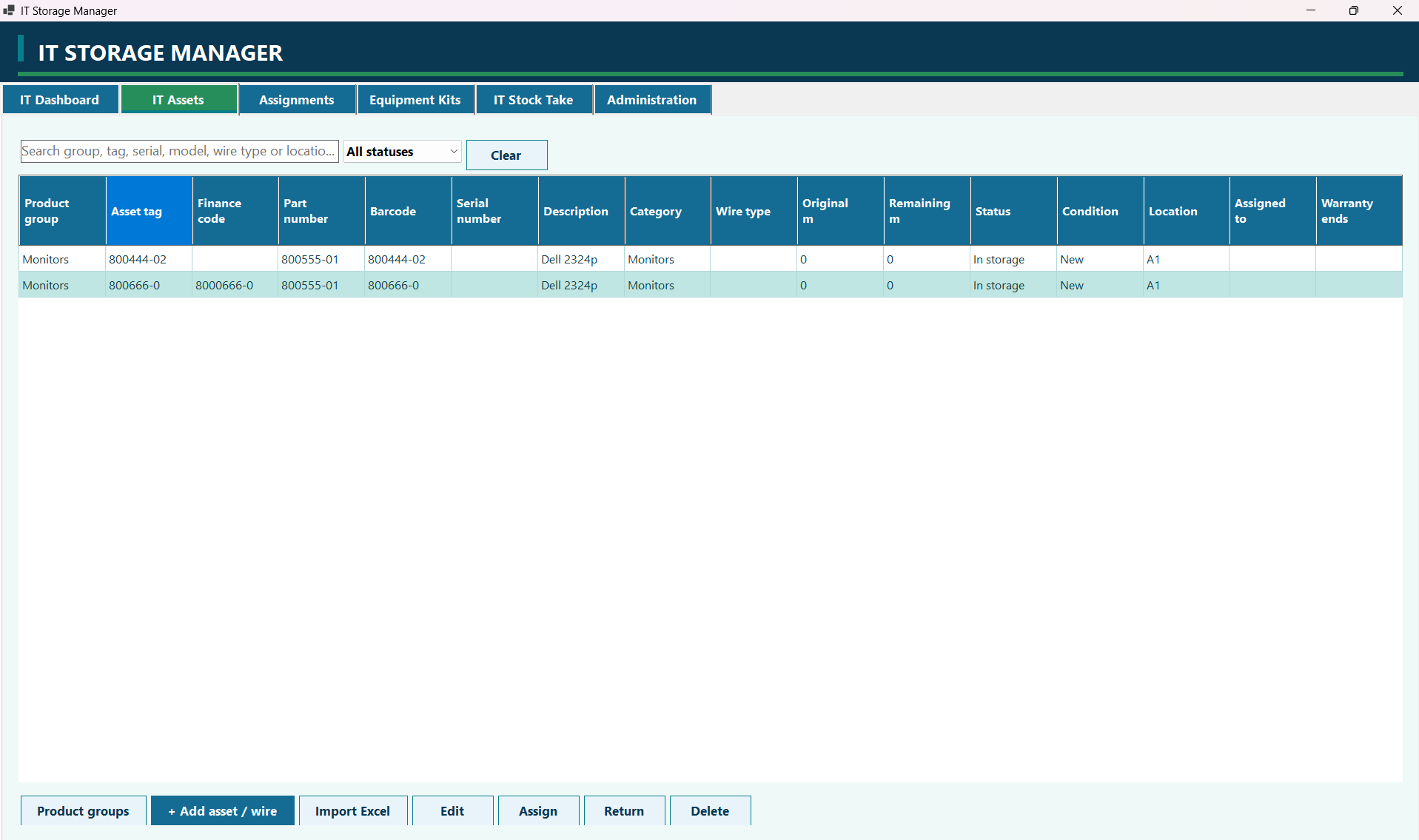
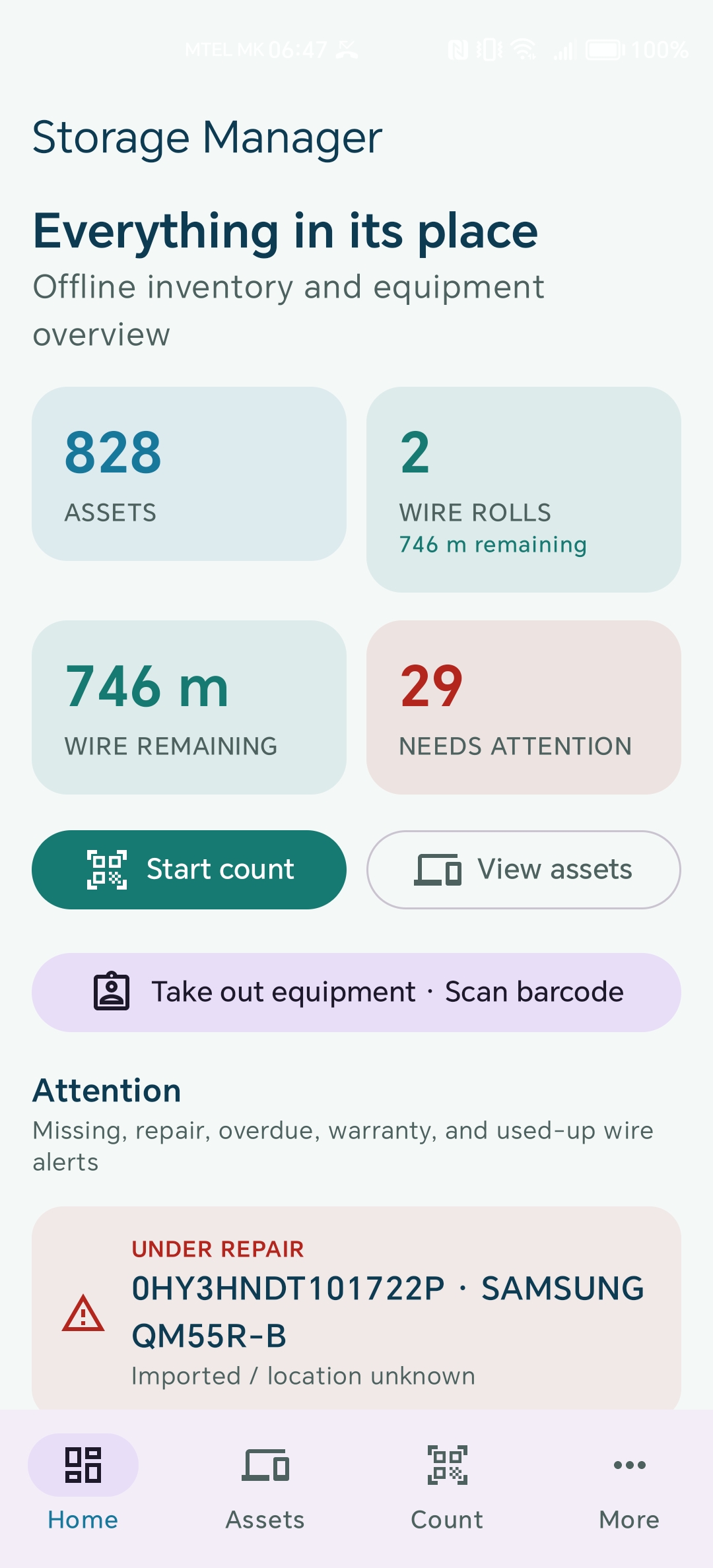
For teams managing IT equipment, shared tools, and wire stock. Storage Manager brings the everyday details into one place.
Keep equipment identifiers, locations, condition, and warranty information together.
Scan barcodes during stocktakes and review missing assets and unknown codes.
Follow individual rolls and the metres remaining as wire is taken.
Manage employees, assignments, returns, and equipment kits.
Use the Windows edition for a broad desktop workspace and Android for inventory tasks where the equipment is.
WindowsOrganize IT equipment, manage assignments, and run stocktakes from a desktop workspace. Keep detailed asset records and wire stock together, with the tools to maintain them day to day.
Take your inventory into the storeroom. Find equipment, scan barcodes, record wire usage, and complete stocktakes on your phone, with an offline inventory overview always close at hand.
Both editions organize assets and stocktakes. Each offers tools suited to its platform.
| Workflow | Windows | Android |
|---|---|---|
| Asset records & wire rolls | Desktop register with search and filters | Mobile asset list, search, and barcode scan |
| Assignments & equipment kits | Manage employees, assign, and return | Scan equipment and record an assignment |
| Stocktaking | Room or full asset counts; Excel export and print | Scan on site; review counts and save A4 PDF reports |
| Asset photos | One photo per asset in the desktop interface | Camera capture and multiple gallery photos |
| Reports & labels | Filtered CSV reports and print preview | PDF reports, Android Print, and Code 128 label PNGs |
| Excel import | .xlsx inventory import with review | Older .xlsx stocktake import with review |
| Users & history | Admin, operator, viewer roles; audit trail | Local roles and audit history; optional admin biometrics |
| Backup & transfer | Portable ZIP export, merge, and full restore | Portable ZIP export and backup import |
Move records and asset photos with a portable ZIP backup. Transfer is manual, so you decide when to move a saved inventory between devices.
Portable backups include photos. A standalone JSON export includes records only.
On Windows, use Import or Transfer → Export full backup. On Android, open More → Backup and transfer and export a portable ZIP.
Transfer the saved backup to the other device using your preferred file-transfer method. Keep an extra copy before making changes.
Android imports the portable backup after preserving local data. On Windows, choose a merge or a full restore. Review which inventory will be replaced before confirming.
Storage Manager manages physical inventory: equipment, IT assets, and wire rolls. It helps with stocktaking, assignments, locations, and equipment condition.
The core inventory is stored locally and supports offline work. On Android, Google Code Scanner may need to download its scanner component from Google Play services the first time it is used. Printing and transferring a backup depend on the printer or transfer method you choose.
Data moves through portable ZIP backup files; there is no automatic live synchronization between the two apps. Export from one device, transfer the file, and import it on the other. Coordinate edits and keep a current backup when moving between devices.
Portable ZIP backups carry inventory records and referenced asset photos. A standalone JSON file contains records but not the photo files. Windows supports merging inventory while keeping local accounts or a full restore; Android backup import replaces its inventory after preserving a local backup.
Contact APKTopia to ask about a demonstration, installation, and current availability for your platform. Public download links and pricing have not been listed on this website yet.
Ask about a demonstration, installation, or the right edition for your team.